
Getting Started in My Candy Business
Open your bedroom candy shop, learn the order loop, and plan your first upgrades.
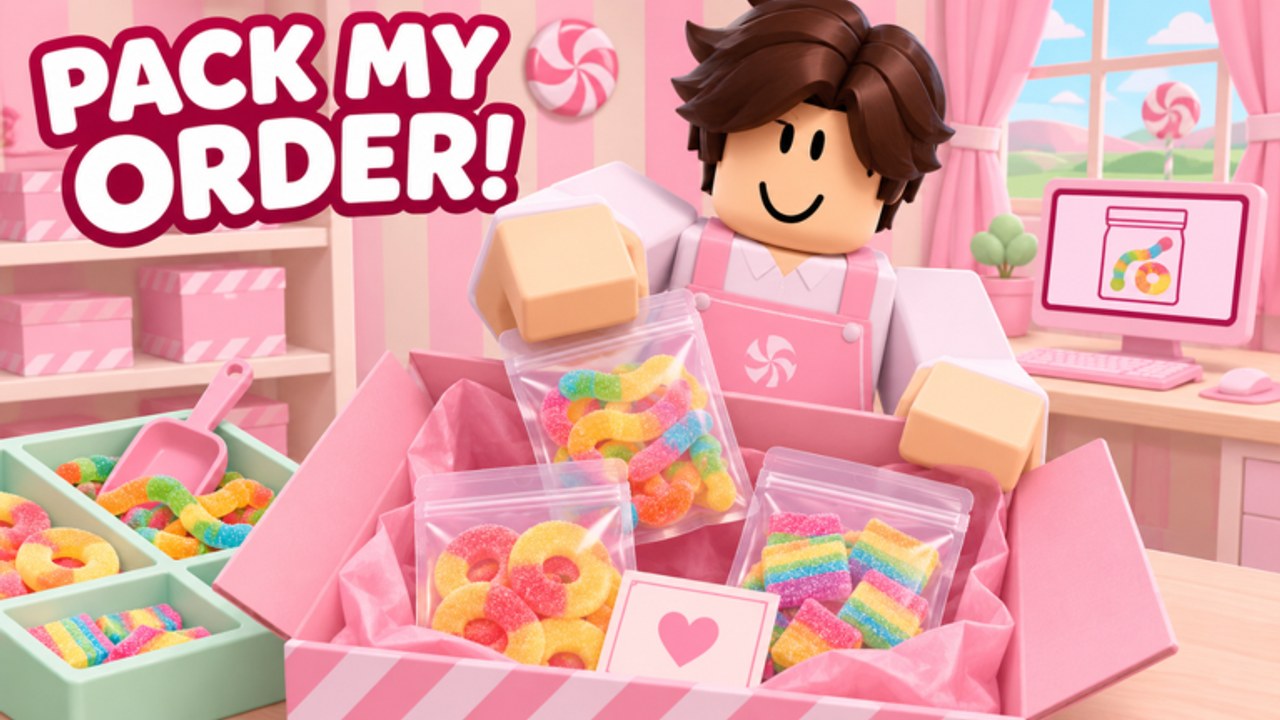
My Candy Business is a Roblox simulation and tycoon from best tycoons studio. You open an online candy shop, turn a bedroom into a sweet empire, and grow into Content Studio, Candy Factory, and Warehouse space. This beginner guide covers your first session: printing orders, scooping candy into bags, filling candy wheels, packing boxes, posting parcels, claiming daily rewards, and deciding when to hire helpers.
If you only have twenty minutes, focus on completing clean packs and understanding where tips come from. If you have a longer session, unlock early helper support and start thinking about room expansion. For the full map of tutorials, return to the Guides Hub anytime.
What you are building
The fantasy is simple and sticky. Orders print as customers place them. You scoop candy into bags and fill candy wheels slice by slice. Every box needs goodies, tape, and a label before it can ship. When the parcel posts, tips roll in. Golden sweets, gift wraps, rush jobs, and VIP customers raise the stakes. A Surprise Scoop can drop a gold gumball. Friends in your server boost orders, so multiplayer is part of progression—not only a social feature.
Helpers bag, pack, and ship even while you are offline. That makes hiring one of the most important early goals after you can finish orders by hand. Decorating rooms, designing a logo, picking colours, and customizing bags come next once cash is stable.
First session checklist
- Join the experience and follow any onboarding prompts until you can print or receive an order.
- Learn the scoop station: bag candy carefully instead of rushing past the fill line.
- Practice the candy wheel—complete each slice so the wheel is ready for packing.
- Pack a box with the right goodies, apply tape, stick the label, and post the parcel.
- Watch tips after a clean shipment so you know what “good” looks like.
- Claim daily gifts, glance at goals, and note any trophy progress.
- Save toward a helper once manual packing feels consistent.
- Visit a friend’s shop when possible and leave a heart to support the server order boost.
Core loop in detail
Print orders. New jobs appear as the shop gets attention. Keep an eye on the printer or order board so you never stand idle while work waits. Friends sharing the server increase order pressure, which is good for income if you can keep up.
Scoop into bags. Portion candy into bags at the scoop station. Accuracy matters more than frantic clicking—messy scoops slow the line and hurt tip quality. When you see a Surprise Scoop option, treat it as a bonus roll for rarer outcomes like a gold gumball, not as a replacement for steady packing.
Fill candy wheels. Wheels fill slice by slice. Finish the wheel before you assume the order is ready to box. Incomplete wheels are a common beginner mistake that stalls packing.
Pack, tape, label, post. Load goodies into the box, seal with tape, apply the label, and send the parcel. Rush orders ask for speed without skipping steps. VIP customers expect polished packs—take the extra second on tape and labels when a VIP is waiting.
Collect tips and reinvest. Tips fund helpers, room unlocks, décor, and branding. Early on, prioritize tools that shorten the path from printed order to posted box.
Video: scoop shop gameplay
Watch a real scoop-shop session to see pacing, station order, and how bags feed the rest of the line. Match what you see to the stations in your own bedroom shop, then return here for the upgrade and helper priorities below.
Early spending priorities
Spend first on whatever removes your biggest bottleneck. If bags pile up, you need scoop speed or a bagging helper. If sealed boxes wait forever, you need packing or shipping help. If you finish orders easily but cash feels slow, improve tip quality (clean packs, VIP care) and play with friends for the order boost.
Room unlocks—Content Studio, Candy Factory, Warehouse—expand production and presentation. Do not decorate every corner before you can hire coverage for bagging, packing, and shipping. Looks matter for the fantasy, but idle helpers and unfinished wheels cost more than a missing poster. When you are ready for a full upgrade plan, read Upgrades and Rooms.
Helpers and offline progress
Hiring helpers is the bridge from “I do everything” to “my shop works while I am away.” Once you can afford staff who bag, pack, and ship, short breaks stop wiping your momentum. Upgrade helper coverage as cash allows. For hiring order, offline income, and automation tips, open the Helpers Guide.
Social boosts, dailies, and special finds
Every friend in your server boosts orders. Visit their shops and leave a heart. That loop helps everyone print more work. Collect daily gifts, clear goals, and chase trophies for structured rewards between big unlocks. Keep an eye out for golden sweets and gift-wrap moments—they are high-value interruptions worth handling promptly.
For cash-focused tactics after the tutorial, continue with Make Money Fast. For packing technique alone, use How to Pack Orders.
Codes, scripts, and staying current
As of research for this wiki, there are no confirmed public promo codes yet. When codes appear, redeem them through the in-game flow the studio provides and track them on the Codes Hub. Do not invent codes from random comments. Script listings for this title have also been empty on major script boards—read the Scripts Hub for safety guidance and never run unverified executors.
After patches, skim the Updates Hub so new rooms, helper rules, or order systems do not surprise you mid-session.
Common beginner mistakes
- Leaving candy wheels half-filled before packing.
- Skipping tape or labels and wondering why tips feel weak.
- Decorating rooms before hiring any helpers.
- Ignoring VIP customers and rush orders.
- Playing alone when a friend boost would raise order volume.
- Chasing Surprise Scoop rolls instead of clearing the queue.
What to do after the first hour
You should be able to complete a full order without guidance: print, scoop, wheel, pack, tape, label, post. You should know where daily gifts live and have a savings goal for your first helper. Next, deepen packing skill, then automate with helpers, then expand rooms. Use the Guides Hub as your checklist so each session has one clear focus.
Open My Candy Business on Roblox, print a fresh stack of orders, and treat every clean shipment as practice for the empire you are building—from bedroom shop to factory floor.
Frequently Asked Questions
Quick answers to the most common questions.
What is the first thing I should learn in My Candy Business?
Master the full order loop: print, scoop into bags, fill candy wheels slice by slice, pack with goodies, tape, label, and post for tips.
When should I hire my first helper?
As soon as you can finish orders by hand and have spare cash. Helpers keep bagging, packing, and shipping going—even offline. See the Helpers Guide.
Do friends really matter for progression?
Yes. Every friend in your server boosts orders. Visit shops and leave hearts to support that bonus while you pack.
Are there working codes for new players?
What should I unlock after the bedroom shop feels stable?
Plan toward Content Studio, Candy Factory, and Warehouse while keeping helper coverage. Details are in Upgrades and Rooms.